This inquiry project was an absolute blast for me. I am sure it helps that I am a horror fanatic. I have definitely learned from this experience, especially in terms of engaging in an inquiry.
I really enjoyed researching and learning about the different films. I learned a lot about film production, special effects, the actors’ experiences and random cool facts. I kept telling my partner these random bits of information I collected from this process. I really liked the different categories I used for rating. When watching the films, I was able to focus on the different categories and feel I gained more from the viewing. As well, I finally exposed myself to some of these older films. In particular, The Thing was a fantastic film that I had never seen before and I am really glad I was able to finally watch it. I am also proud of myself for surviving The Exorcist. The last time I tried to watch it was in grade 8 and I made it halfway. Thankfully, I do not need to watch it ever again.
I feel the biggest problem was that watching movies is so time-consuming, so when the semester really picked up for me, it added to my workload to also watch a movie. Though, I have to say it was fun to say, “I neeeed to do my homework… It’s watching a movie.” For a future inquiry, I will definitely think outside of the box and try something a little less time-consuming. Another negative aspect of this inquiry project is that it is not suitable for children even though this is an educational blog. I acknowledge this fact. My thought for the future is to put in a “continue reading” block so then people won’t initially see the post. Otherwise, I will make them all private.
In terms of helpful resources, I found Youtube reviews and analyses worked really well for this inquiry topic. I definitely used both Wikipedia and IMDb for plot summaries, actor information and any other miscellaneous information. I found that I used different sources, such as blogs, magazines, and news sources. It was interesting to discover all of these resources and look at all of the different opinions.
Finally, I feel it is important that I choose my favourite film. This is a difficult decision… The scariest and most disturbing film was The Exorcist. I truly could not get those scenes out of my head. In my opinion, the best film was Psycho. I hadn’t seen it in a while so I forgot just how amazing it is. Hitchock really was a master of his craft and Anthony Perkins was perfect for this role. A complicated answer, I understand, but that is how I see it.
Now then… There is a new Scream film out in theatres, so I must be off. 🙂
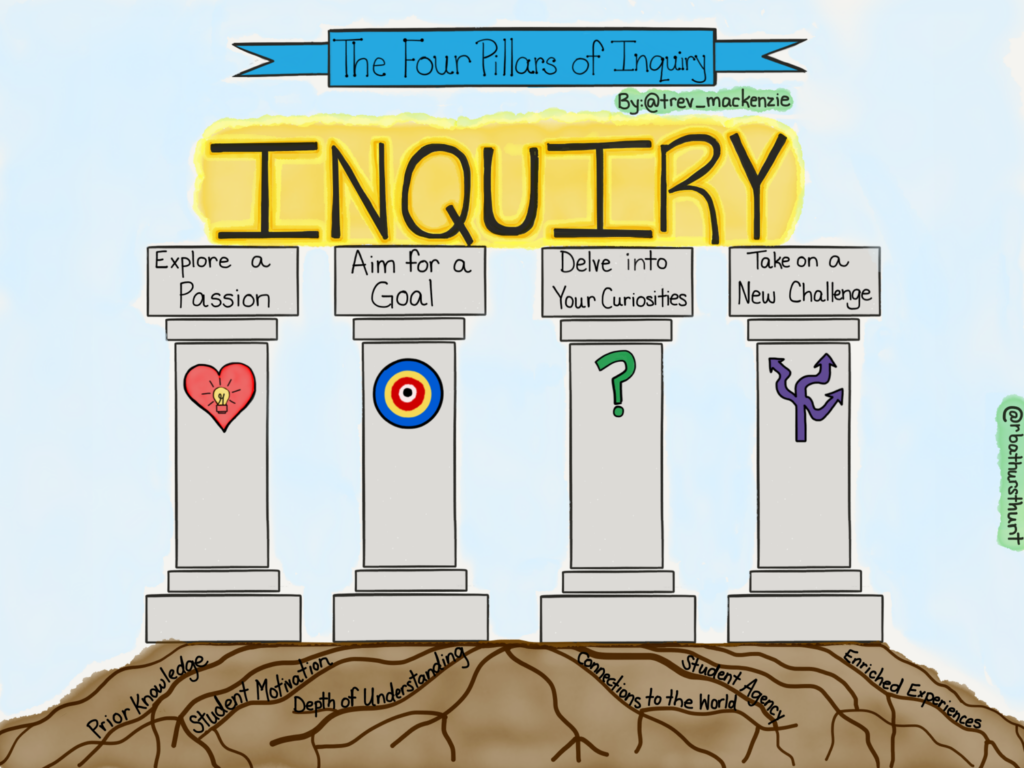
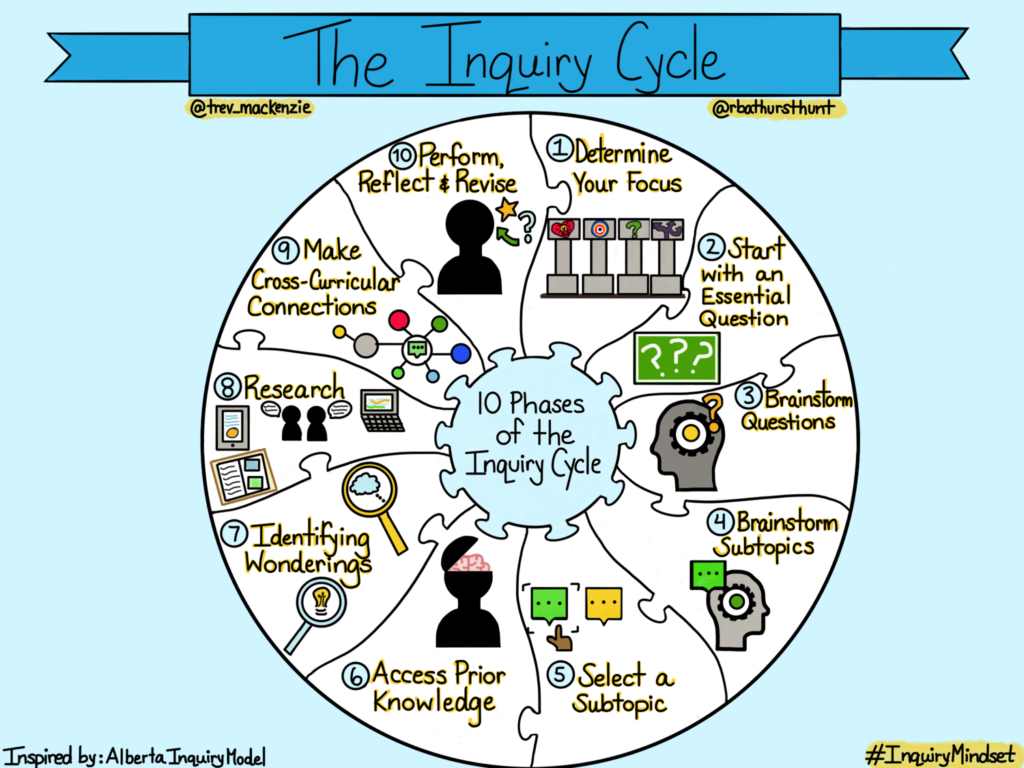
Inquiry-based learning is a student-centred approach that positions the educator as the facilitator and the student as a self-driven participant in their learning process. Bringing technology into this process opens up the world for students. When adults are curious to learn something, they immediately go to the Internet and use different technological tools to gain information and convey that information. Students should learn to take part in this process as well.
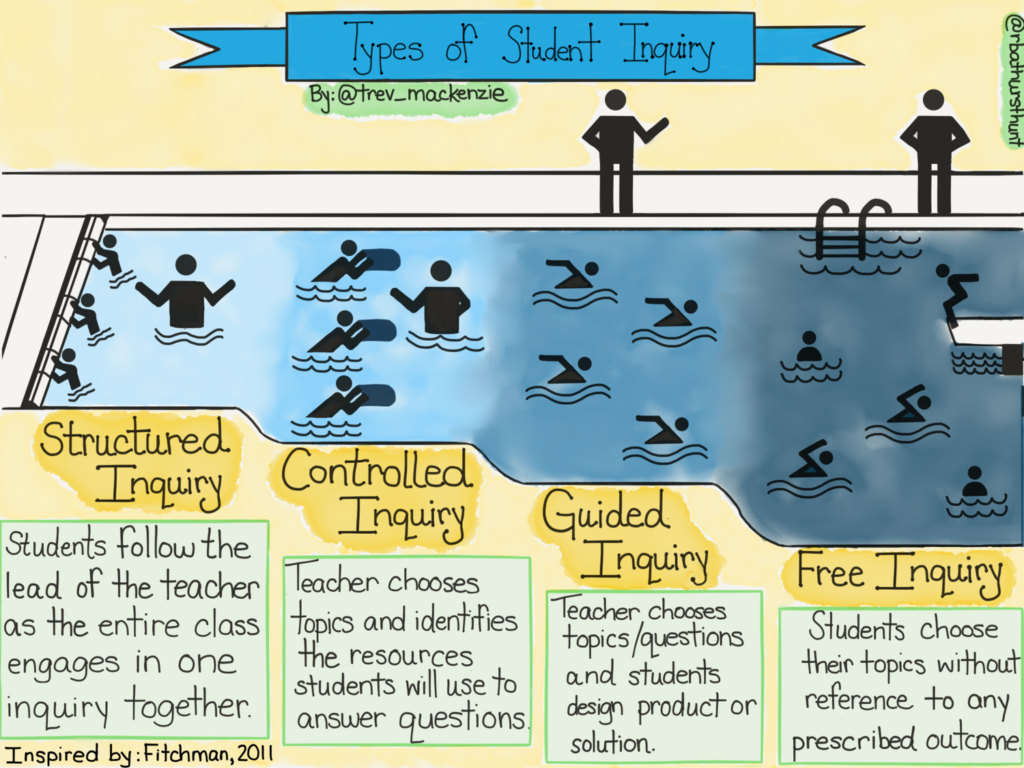
There are four different types of inquiry: structured, controlled, guided and free. The types gradually release responsibility and provide students with more opportunities for open engagement. Each has its place and will depend on the content, curriculum, and educator.
For students, the process of inquiry is incredibly valuable for future academic and career contexts. I feel that some of this process can be transferred into the Scientific experimental process. Students are given an active role in their learning and must come to terms with this process. This creates a whole lot of growth.
From Joanna Lake’s powerful presentation, I was able to gain some important insights into teaching. Some include:
-Be your authentic self.
-Share your interests with your students.
-Do one thing that works really well for you
-Go really slowly.
-Don’t stay at school really late.
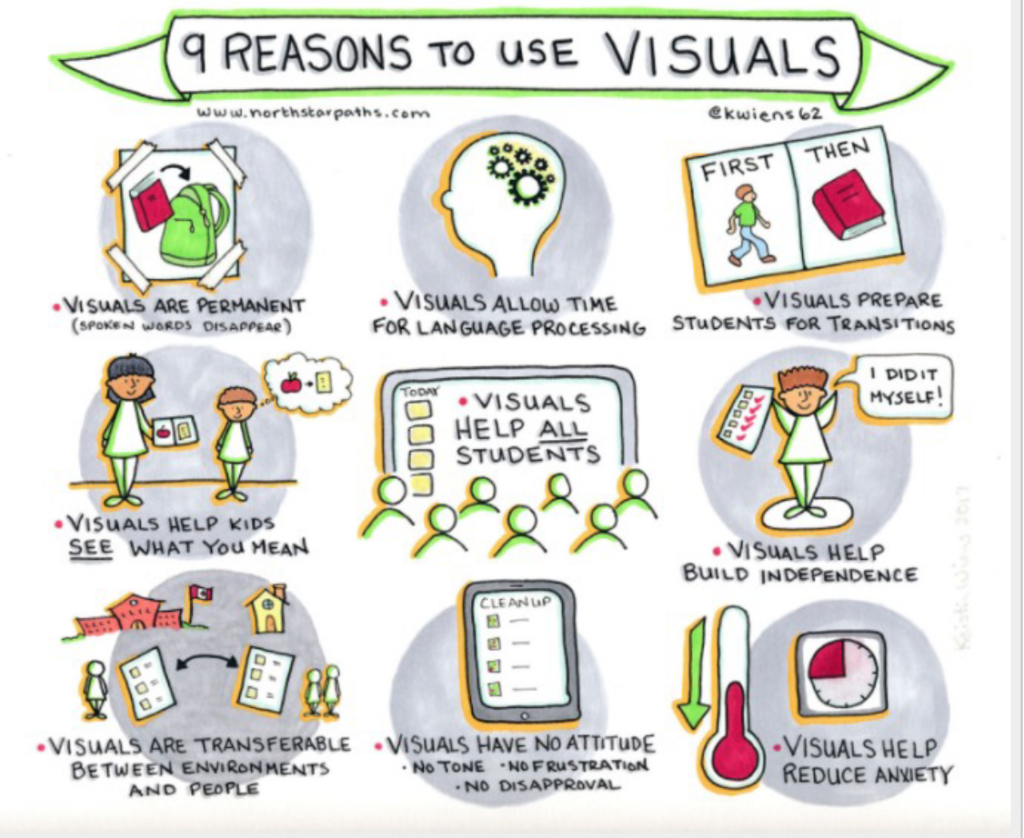
-“First, then” for task sequences
In particular, I found what she said about visuals very valuable. “You can never have too many images, infographics, displays or visuals.” These are powerful ways to present information to students while keeping them engaged. Using visuals as a prompt can be a great way to start a lesson or discussion. As well, she suggested using memes and to check in with emojis or memes. Finally, she praised the visual schedules because they help students, especially those with disabilities, see and refer to the routine of the day. All of these visuals are powerful for students and technology can really help this process.
Joanna also gave us some fantastic tips for assessment.
-Assessment as learning: self-assessment, feedback and reflection. This tells you if students are understanding and have a deep level of comprehension.
-Teachers should give models of two of the proficiency scales: emerging and proficient.
-Educators and students should make their thinking visible on a whiteboard or chart paper while using technology.
-Educators should co-create rubrics.
-For self-assessment, get students to ask themselves: “What did I notice?” and “Where’s my stretch and where’s my strength?”
FreshGrade
FreshGrade is a digital portfolio platform that allows teachers, students and parents/guardians to connect and communicate with a focus on student learning. During my first practicum, I was in a kindergarten classroom with a teacher who used FreshGrade. For Kindergarten, the parents/guardians are very involved in their child’s learning, which leads to a lot of time spent communicating. By introducing FreshGrade, this educator made her workload a lot less hectic in terms of time spent interacting with guardians. When a student leads the morning routine, she would film the student and upload it to their profile. This allowed parents/guardians to see their children growing, learning, and showing their learning.
In terms of negatives, there are always concerns regarding the safety and privacy of student data. From a CommonSense Privacy Report, there are certain concerns that are unclear or lacking, such as “Personally identifiable information (PII) is collected” and “Unclear whether this product collects sensitive data.” For parents, guardians, and teachers, I would recommend reading the entire report and doing further research if you are concerned. Another concern for teachers is consent. Teachers have to get guardian consent to use this technology, which can be very challenging. On the flip side, the educator could spend all of the time and energy documenting and then uploading to FreshGrade only for the guardian to never look at their child’s profile. Overall, there are definitely positives and negatives to FreshGrade, but in terms of showing student learning to guardians, it is a fantastic tool.
Android Science Journal
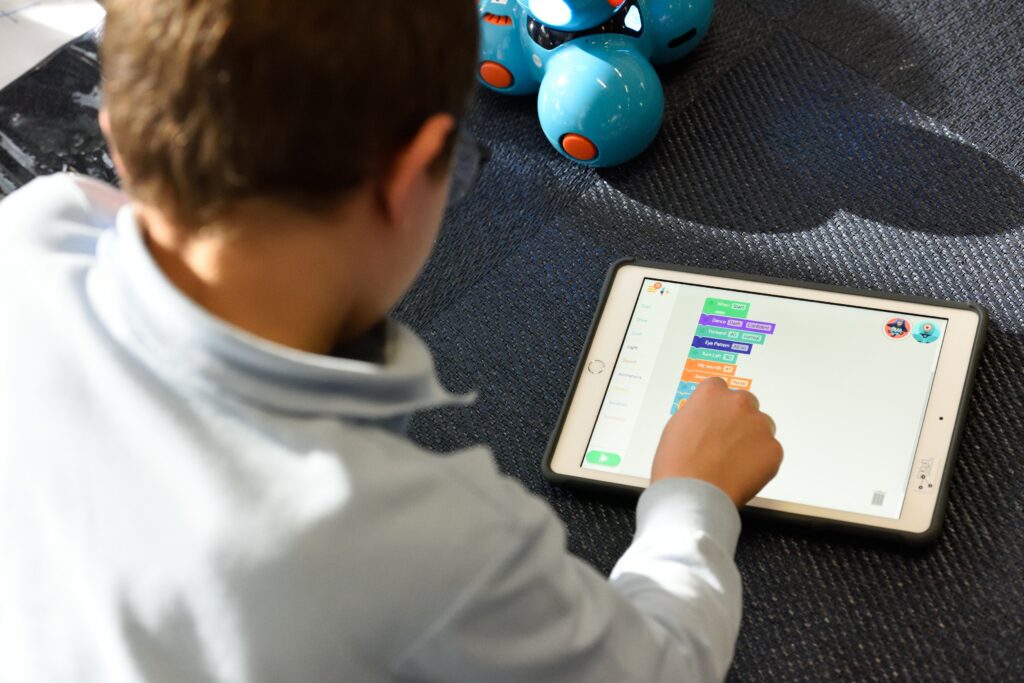
Android Science Journal is a “pocket-sized lab that encourages students to explore how the world works, record data, document observations, and experiment like a real scientist.” Students can use their Android phones and the application to participate in different scientific experiments. This use of technology allows educators to engage students in their learning. There are modules for light, motion, sound, and electricity. As always, we must think of their security and privacy and guardians would have to consent to the use of this tool. As well, educators must consider if students even have access to an Android. However, it opens up a lot of possibilities for engagement in Science for students from K-12.
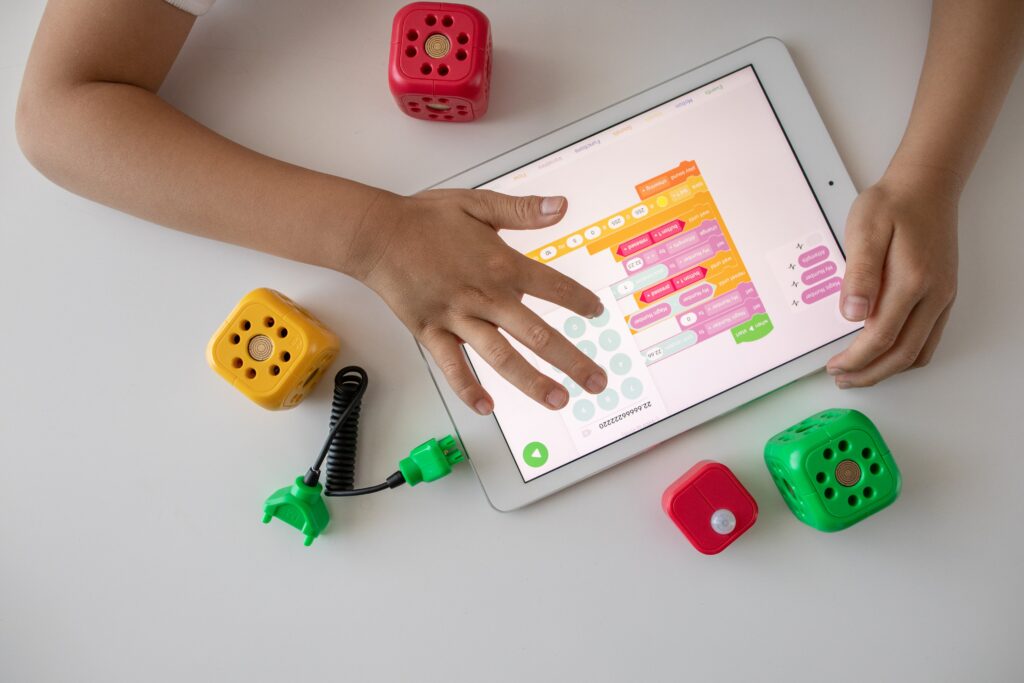
The 21st century is a technology-rich world, our everyday lives are filled with different variations of technology and school classrooms are no exception. In a world that depends so heavily on computers, doesn’t it make sense to teach our children how to properly use them? We believe so, which is why we feel basic coding should be incorporated into K-5 classrooms! So much of education has become part of the digital world, our students are regularly working on and producing assignments on computers which is why classrooms should embrace teaching children to create through coding. After all, education is dedicated to learning, doesn’t it make sense to learn computer skills in that education?
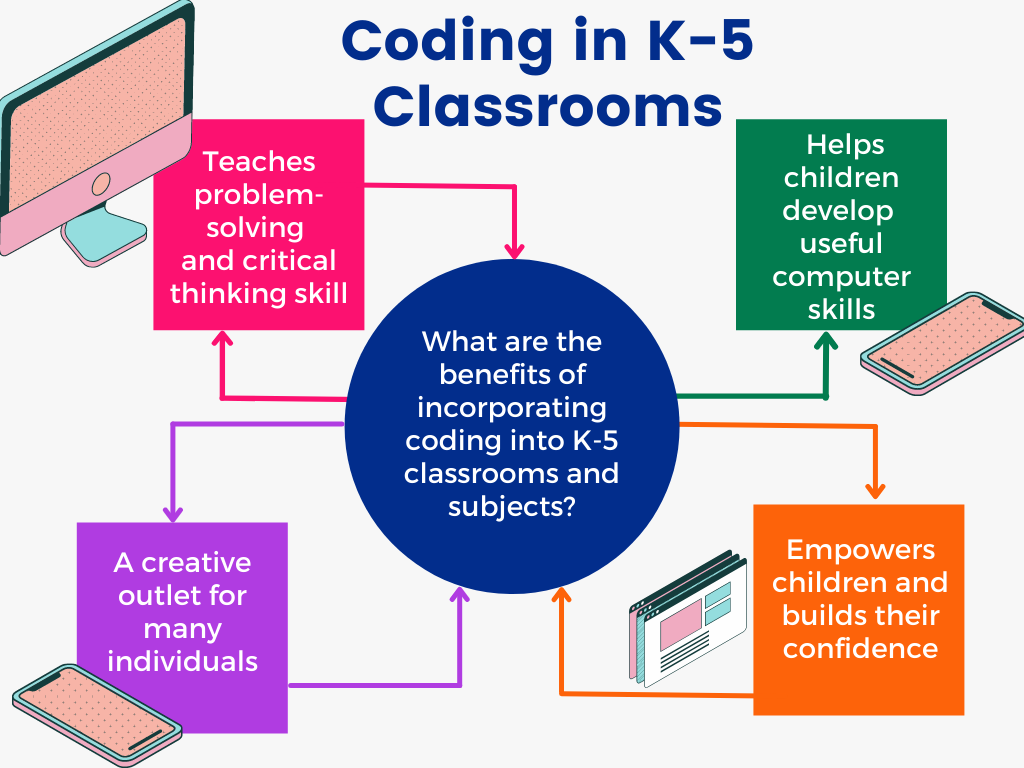
Coding can teach kids skills that relate to our education curriculum beyond just computer science. Perhaps the most important skills children develop through learning to code are problem-solving and critical thinking. Critical thinking and problem solving are some of the most important skills we use in our lives and the earlier children learn them, the better off they will be. Learning to code places children in control of the computer, allowing them to develop skills and confidence with the technology that they may not otherwise have. It teaches them basic computer skills that will help them greatly in their future careers as well as empower them to take on challenges in the future.
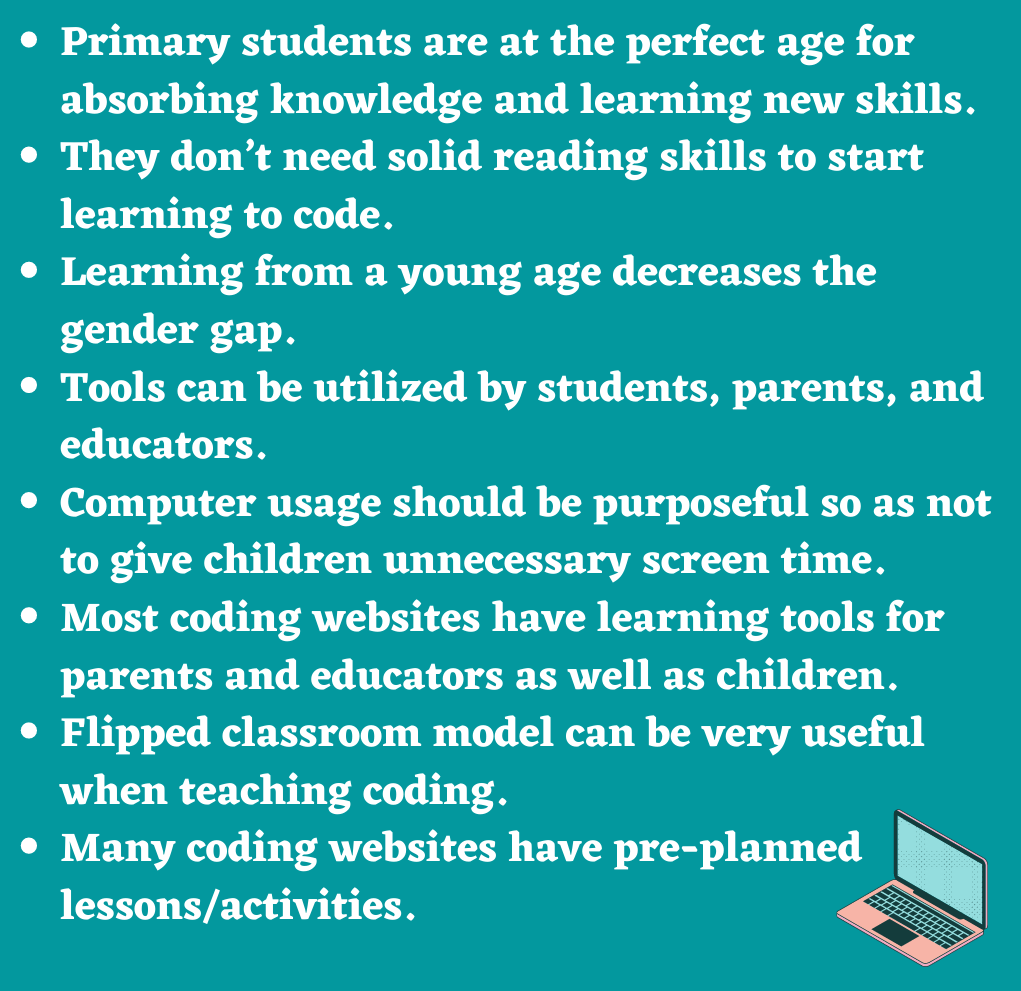
It may seem over the top to teach coding in elementary school, perhaps coding sounds like a topic better suited for high school. However, elementary-aged students are at a special point in their lives where they are constantly absorbing and learning new information. It’s the perfect time to introduce the concept and skills. Plus, children don’t need solid reading skills to start learning basic coding. You may think reading abilities are a requirement for coding but plenty of programs exist for children that don’t require solid reading skills. This means children can start learning as early as possible.
Research even indicates that introducing coding should be done as soon as possible since at young ages there is a significantly smaller gender gap in participation. At a young age, participation in coding is split about evenly between genders however, as students get older a gap forms and participation leans heavily towards males.
However, the gender gap isn’t the only reason to introduce coding early. Coding teaches collaboration, teamwork, and brings student ideas alive. It is empowering for students to learn and helps them develop a positive relationship with technology. Last, but certainly not least, it’s a topic that sparks interest in children. They want to learn to code and are often highly engaged in such activities and learning.
Despite everything we’ve said so far, you still might not be convinced. That’s completely understandable so we created a straightforward list of some benefits of elementary students learning code. Check it out below!
Teaches critical thinking and logical thinking
Teaches problem-solving skills and cause/effect relationships
Teaches useful computer skills that will be helpful in the future
Builds positive relationships with technology
Empowers children!
Develops confidence and positive self-beliefs
Provides children with a creative outlet to express themselves
Enhances math abilities
So, what are the drawbacks?
Although there are plenty of benefits, some people still see coding in schools in a negative light. Listed below are some of their reasons:
Coding is viewed as an unnecessary skill.
Kids should be kids instead of sitting hunched in front of a computer
The need for programmers and coders is declining. “This is mostly due to an increase in coding software that removes the necessity for coders.” (Betts, LoveToKnow)
The types of coding activities tend to “misrepresent much of the work IT professionals do.” (The Conversation). To work in IT, computer science and software engineering are essential skills to possess, but does the coding taught in elementary schools properly reflect these skills? Most often, no. There is a focus on accessibility and engagement, causing a loss in perspective in the IT field for young students.
This article provides an interesting perspective on teaching coding in schools.
Clearly, there are many benefits to teaching children code in elementary school. However, there are definitely challenges that educators experience when attempting to teach code. In a sense, teaching code is teaching a second language, which can be incredibly Here are the biggest three challenges:
Engaging your students with coding
The big screen time debate
How to teach code if you don’t know how to code?
A possible solution to engagement is to add elements from gamified learning to the coding class. Another strategy to increase engagement is to try the flipped learning model, which allows students to experience lesson delivery outside of class time and leaves class time open for hands-on learning.
For the screen time debate, utilizing the students’ screen time as an educational tool allows educators to use screen time in their favour. An example would be to allow students to use their phones or tablets as note-taking devices including sketchnoting. Educators teaching coding need to always consider how to include screens in the optimal learning environment. Some possible examples are using platforms such as Kahoot, Typeform, Annoto, Pear Deck, and CoderZ. They allow students to be engaged and learn while using technology without any fears of negative screen time. A big part of the screen time debate relates to the frequency of screen use. So, creating specific opportunities for technology creates a positive technology experience in a set amount of time.
For educators with no coding abilities or knowledge, there are many barriers for them including, lack of time, new educational tools, advanced pedagogical methodologies and expansive innovations in deliverable content. Educators with lacking coding skills need only turn to technological tools that benefit both students and educators. Some platforms, such as ISTE, provide lesson plans and step-by-step instructions for educators. CoderZ has three different curriculums to offer teachers: Cyber Robotics 101, Cyber Robotics 102, and Coding Robots. Educators need only search for these platforms and share their resources with the education community.
“Flipped Learning is a pedagogical approach in which direct instruction moves from the group learning space to the individual learning space, and the resulting group space is transformed into a dynamic, interactive learning environment where the educator guides students as they apply concepts and engage creatively in the subject matter.” (Flipped Learning Network)
The flipped learning model provides students with individualized learning opportunities. Each student is unique and works differently in different contexts. This model allows students to “move at their own pace and review what they need when they need to.” (Edutopia). As well, it opens up opportunties for teachers to work one-on-one with students to support their content learning.
Certainly, now that we have experienced COVID-19 and its lasting effects on our society, students are more frequently sick at home. This model gives students the ability “to catch up on missed lessons easily through the use of video and online course tools.” (Edutopia). The flipped learning model gives students more opportunties to learn in the ways that work best for them.
One of the biggest disadvantages is the lack of access for students in a variety of circumstances. Not every household has an electronic device available for a child to use for periods of time. One teacher explained a situation where this would not be possible: a single mother with four kids and the only device is a cellphone. During the height of COVID-19 and the lockdowns, this mother was incredibly stressed, while her children were unable to meet their educational requirements.
As well, digital learning does not suit every student, so flipping every classroom would negatively affect those students. In particular, as educators, parents and caregivers, we must be careful to encourage moderation when it comes to technology use. I certainly feel negative health effects when I spend all day on a computer, so to think of children with their developing brains and bodies… Personally, I would encourage students to take frequent breaks from technology and spend time outside being active.
“Multi-access learning: a mix of modes, including a concurrent mix of face-to-face and online learners connecting synchronously via video, and asynchronous connection. The extent to which a learner has freedom to choose their mode varies.” (EdCan)
I feel it is super important for educators to design and run their classes with all students in mind. Multi-access learning allows for different types of entry points into the class. It may be virtual or in person, but this opens up opportunities for students who do not learn in the expected manner. For me, I think of my schooling history where I struggled to attend due to mental illness. With a multi-access model, I would have a lot more independence and opportunity to continue learning without the need of physically being in the classroom. It definitely opens up a lot of opportunties for disabled students to continue to engage with their learning.
This article from UVic gives educators suggestions on how best to support multi-access learning.
Blended Learning
“Blended or hybrid learning: a consecutive mix of face-to-face and online learning, with all learners being required to participate in each mode. (The term “hybrid” has been misused to refer to both concurrent and consecutive mixing of online and face-to-face components, making it unclear to learners what is expected of them.)” (EdCan)
The following pros and cons of blended learning comes from Guide to Schools.
According to the University of Waterloo, many instructors, parents and students favour blended learning because it can:
Increase the amount and quality of faculty-to-student and student-to-student interaction.
Help students prepare for class discussions or lab work.
Increase opportunities for active and collaborative learning and assessment before, during and after lectures.
Allow class time to be spent on active learning activities by shifting background or foundational content to the online environment.
Facilitate more varied and engaging media for presenting course material.
Address learning bottlenecks via new types of interactive and independent learning activities.
Allow students to access course materials when and where they want, at their own pace.
Help to create a sense of community in large classes.
While there are many benefits to blended learning, there are a few negatives to this style of education:
It relies heavily on technological dependence. Tech resources and tools need to be reliable, easy to use and up-to-date in order for the use of the internet to have a meaningful impact on the learning experience.
Flaws in course design can lead to student confusion and isolation if not properly executed.
IT literacy can serve as a significant barrier for students attempting to get access to course materials.
The flexibility of setting your own pace can result in students falling behind on reading and course materials if not adequately coached and supported.
Selecting the appropriate platform for each lecture can be time consuming for teachers who find themselves preparing both in-class and online seminars.
3D Design
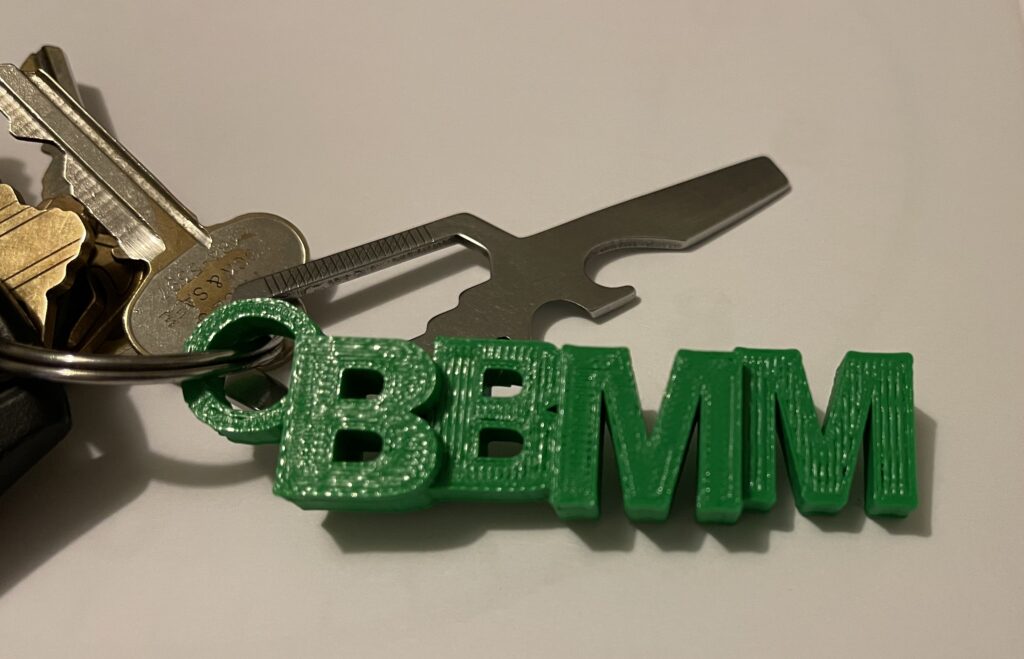
During the technology class, I was able to explore TinkerCad and create my very own 3D printed keychain. “Tinkercad is a free online collection of software tools that help people all over the world think, create and make. We’re the ideal introduction to Autodesk, a leader in 3D design, engineering and entertainment software.” (TinkerCad)
Image of my 3D keychain designImage of the final product
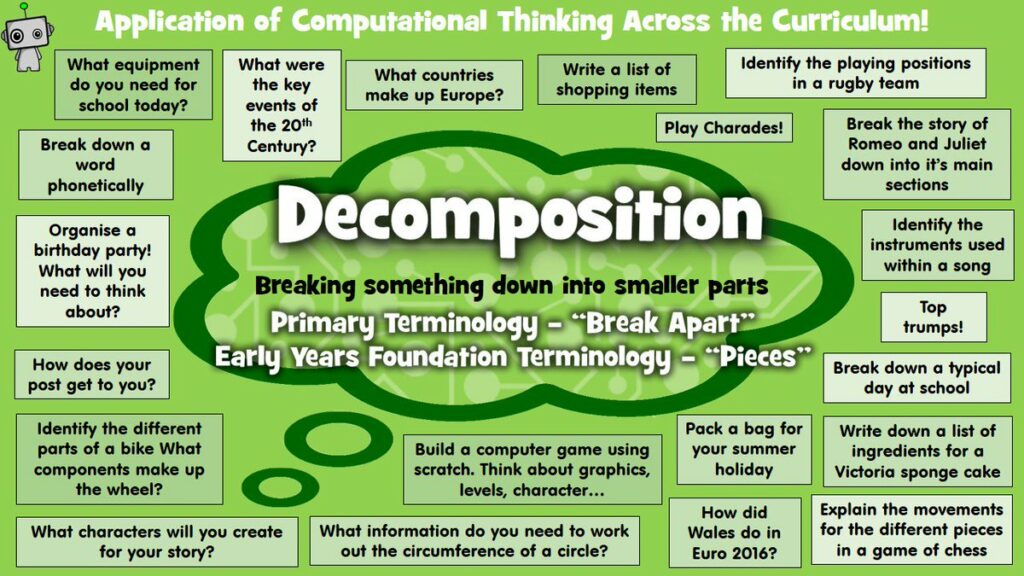
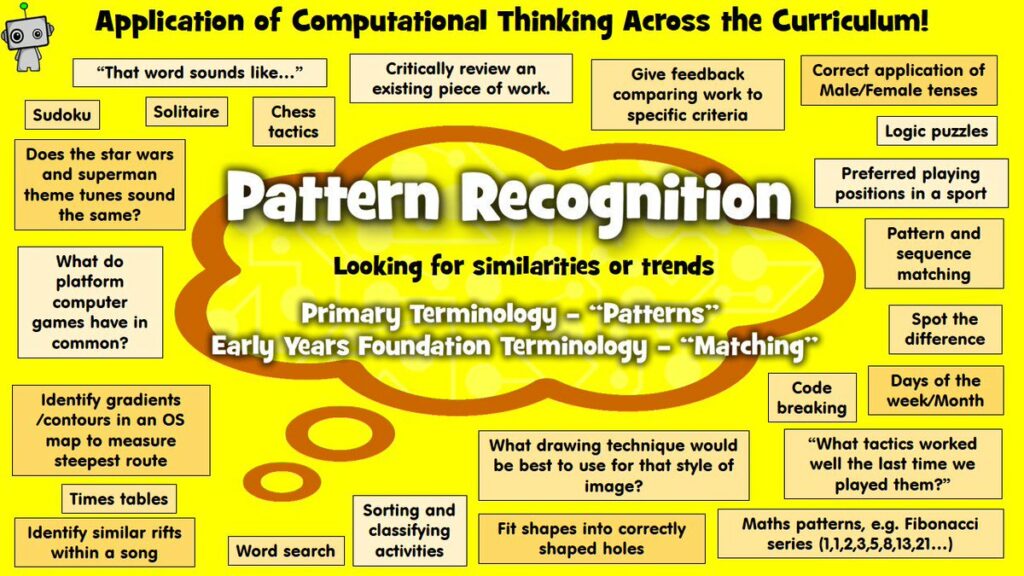
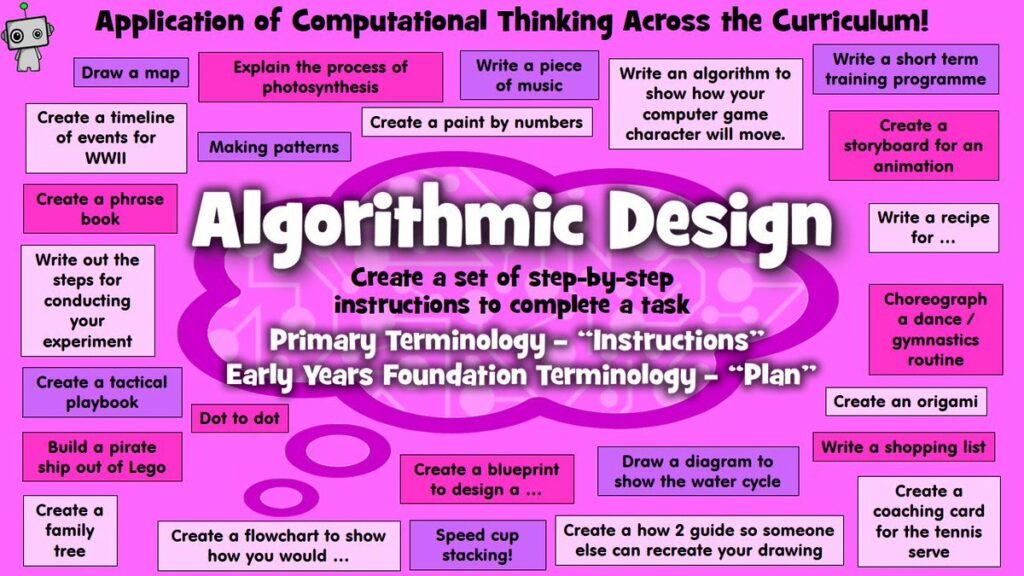
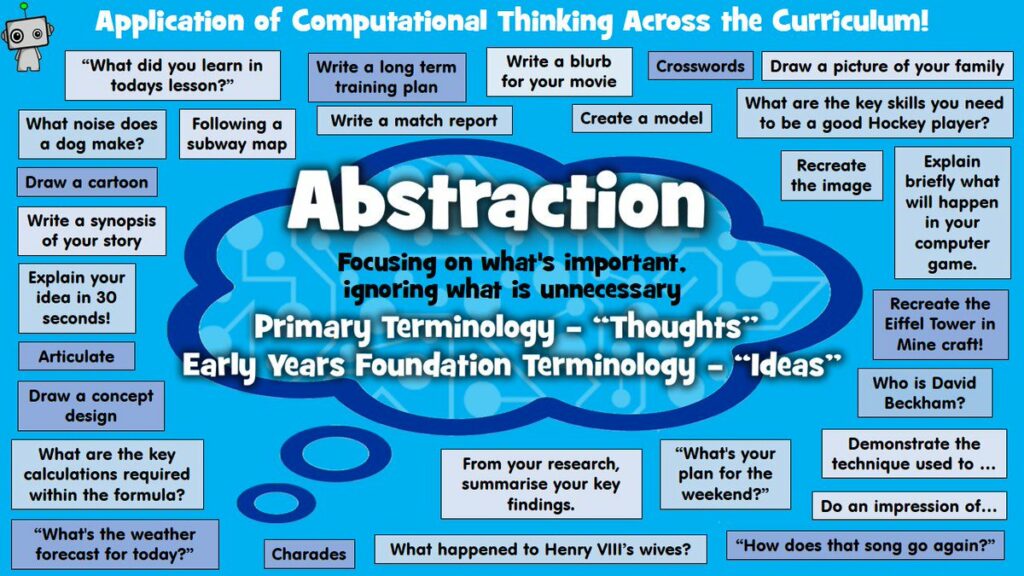
“Computational thinking is recognized as a key skillset for all 21st-century learners.” (SD61). It consists of four parts: Decomposition, Pattern Recognition, Algorithms, and Abstraction.
Decomposition
“Decomposition is one of the four cornerstones of Computer Science. It involves breaking down a complex problem or system into smaller parts that are more manageable and easier to understand. The smaller parts can then be examined and solved, or designed individually, as they are simpler to work with.” (Bitesize)
Pattern recognition “involves finding the similarities or patterns among small, decomposed problems that can help us solve more complex problems more efficiently.” (Bitesize)
An algorithm is a plan, a set of step-by-step instructions to resolve a problem. In an algorithm, each instruction is identified and the order in which they should be carried out is planned.” (Bitesize)
“Abstraction is one of the four cornerstones of Computer Science. It involves filtering out – essentially, ignoring – the characteristics that we don’t need in order to concentrate on those that we do.” (Bitesize)
Can computation thinking help learners become better problem solvers?
“Computational thinking is the problem-solving skill of the digital world.” (Nick Pinder from ISTE). Any type of problem-solving thought process can be used in many different situations. By introducing students to computation thinking, they are able to use their newfound skills in a variety of contexts.
Are there any non-math-related opportunities for integrating coding and computational thinking into your grade level’s curriculum?
Although it is more common for coding and computation thinking to be heavily focused on math, there are plenty of resources in different subjects that align with the BC Curriculum. In particular, there are resources for language arts, science, history, fine arts, and music. Resource: ISTE
Could computation thinking or coding turn math abstractions into concrete form for students with their inquiries at the grade level you’d like to teach?
Coding can turn math abstractions into concrete forms for students. In particular, this coding activity where you learn to code with Anna and Elsa was interesting and engaging activity to introduce students to geometry (from Hour of Code).
Prior to this week, I had a basic understanding of digital accessibility. I am registered with the Centre for Accessible Learning and have seen all of the different types of technology students can use. However, most of the time when I think of accessibility, I think of a more broad view and relate it to physical accessibility related to physical disabilities, such as ramps, steps into buildings, etc. This really helped to expand my view of what accessibility means, bringing technology into the conversations I will have.
Digital accessibility practices definitely need to be talked about more as I was fairly unaware of some of them. Before today, I had not been using the alternative text feature. I have started to notice more alternative text or image descriptions added to images. In particular, a lot of queer and disabled Instragrammers have added image descriptions to everything they post. This is such a simple way to create accessibility for all.
As an able-bodied person, I need to always be reflective and aware of how I present digital media, especially in terms of colour, audio, and visual. In particular, I will work on including alt-text, subtitles, headings, and full-text transcripts. In a way, this forces me to be more purposeful in my choice of media. I am most surprised by how digital accessibility needs to be discussed and taught to parents of disabled children. I can imagine it can be very overwhelming as a parent to have to navigate raising a disabled child. As teachers, it is our job to help these parents and guide them. In particular, giving them resources such as BC Ed Access.
It is a fairly common reason why many digital accessibility practices aren’t more well-known or commonly used. Able-bodied people live a privileged life where they have no basis of understanding of what disabled people experience. I say this as one of these privileged people. It is important to always think from alternative perspectives and engage in discussion with disabled people. They are the best resources for their needs and experiences. As educators, we must always think from multiple perspectives and abilities. As well, we must actively seek out information and resources related to digital accessibility practices.
Youtube Video with Subtitles
Images and Alt-Text
Graphic by Sooke District Educator, Kristin Wiens, Inclusive Education Coordinator
EdCamps are free public events or “unconferences” where educators are given the opportunity to collaborate and connect in an informal setting. Attendees provide options for topics and then the most popular are chosen. There is a focus on group expertise, tech tools, and instructional design. Each session involves a facilitated discussion among peers. The tenets of the EdCamp model are: free and open to all; participant-driven; experience, not experts; rule of two feet/clicks; and vendor-free.
One EdCamp topic discussed was Parent Communication, an important topic for educators worldwide. It was very valuable to hear others’ experiences and ideas relating to parents. In particular, I connected with the idea of calling student’s guardians the “home team” as this is more inclusive. As educators, we do not need to add to the heteronormativity and the gender binary. By using this more general term, educators show students that the people raising them are part of a team that defies the usual nuclear family that was pushed in the past.
Another suggestion was to start the year off by sending an initial letter to the home team letting them know your practices so as to avoid unnecessary questions. As well, I feel this is valuable for the development of a positive teacher-home team relationship. It is important for educators to communicate with the home team about both positive and negative aspects of their child’s educational journey. This might mean weekly emails with highlights that communicate the highlights of what happened in the week for their children. To make this easier, a template could be used such as “Need to Know/Want to Know/Nice to Know”. Another important way to create a positive relationship with the home team is to show them that you like their child. This can be done by sharing progress, giving updates about their child, and showing them in some way that you care about how their child is doing in your class. This may look like a Good News phone call when they achieve something positive.
It is important as an educator to remember that you never need to defend your pedagogical practices used in your classroom. As well, make sure to keep a paper trail of all communications with the home team as a record of what has been discussed and happened. Another really smart idea brought up is that you should wait at least 24 hours to respond to an email that really upsets you. This allows you to reply with a clearer perspective and a calmer mind. This adds to the idea of professionalism because as upset as we may be, we are professional educators teaching children. We must act respectfully and appropriately to our students and their home team.
Another fantastic idea discussed was that if a home team brings up a concern via email or phone, the educator should invite them into the classroom for a face-to-face meeting to clarify the situation. I always find speaking to someone in person much easier and clearer than back and forth over email or phone. I would rather talk to someone in person to make an appointment than calling them on the phone. I will definitely make an effort to meet with parents face to face. It avoids the back and forth that occurs with emails and phones and it reminds both sides that they are talking to a real person. This can be especially valuable for more sensitive subjects. If you are concerned, you can always ask a backup person to attend the meeting with you.
Communication with home teams is important for educators so they are reminded of cultural considerations and the different types of home environments. Some behaviours stem from these, so it provides educators with insights.
Now, it is your turn, reader. What are your ideas related to parent communication in schools? Do you have any great tips or tricks for other educators?
The second topic discussed was naturalism in schools, which can be connected to the Indigenous ways of knowing and doing. A huge aspect of Indigenous beliefs centers around the land. To honour this, we, as educators, need to bring more naturalism into our pedagogy. Nature walks are a fantastic activity to integrate naturalism into the curriculum. One person suggested connecting with Mycological societies that provide education on plant identification and other topics, which then can be transmitted to students. Another activity that connects students with the land is by mixing art and natural materials. The class would go out and collect materials in an ethical way and then use those materials to create art. These activities connect Indigenous traditions and perspectives with art and science. In particular, educators must focus on the local nature and Indigenous traditions.
There are many resources in the community that educators can connect with to have them come into the classroom and also many locations for the class to visit. Learning in nature allows students to learn in an enjoyable and low-barrier environment. Another way to bring naturalism to the classroom is to participate in a community or school garden. Children are more likely to enjoy vegetables if they participate in the process of their growth. This also provides an opportunity for group nutrition education related to biology units in the curriculum. A great resource in Victoria is the Compost Education Center, which has amazing presentations and tours of their center. They even have a fish tank that uses recycled water from a native plant garden.
Another way to introduce naturalism in the classroom is to bring different organisms into the classroom, such as plants, aquariums and terrariums. Finally, educators should facilitate discussions that elicit student knowledge and create a classroom environment that is open to sharing in a respectful manner. Children love to learn about the natural world and already have experience and knowledge.
This post contains content not suitable for children. It contains discussion about violence, gore, and death. There are some incredibly graphic mentions of self-harm.
The Exorcist (1973), directed by William Friedkin and written by William Peter Blatty, follows a girl possessed by a demon, her mother trying desperately to help her and the priests that perform the exorcism. The film begins in northern Iraq with Catholic priest Lankester Merrin, played by Max von Sydow, working on archeological digs where he uncovers a Saint Joseph medallion and a small figurine representing Pazuzu, an ancient demon.
Meanwhile, in Georgetown, actress Chris MacNeil, played by Ellen Burstyn, works on a movie with her alcoholic director, Burke Dennings, played by Jack MacGowran, and lives in a temporary home with her daughter, Regan MacNeil, played by Linda Blair, and several servants, played by Kitty Winn, Rudolf Schündler, and Gina Petrushka. Chris notices a Catholic priest, Father Damien Karras, played by Jason Miller. He is going through a crisis in his faith and job as a psychiatrist and counsellor to fellow priests. He visits his mother, who dies immediately following. A statue of Mary is found desecrated in a church in Georgetown, foreshadowing the demon’s arrival and subsequent possession.
Life seems to be going well for Chris until Regan begins to act differently and erratically. Chris hears strange scratching sounds from the attic, but cannot find the source of the sound. As well, Regan finds an Ouija board and has conversations with an imaginary friend named “Captain Howdy”. During a big party, Regan comes downstairs and then urinates on the carpet in front of a group of party-goers. Regan becomes violent and exhibits abnormal strength Chris, an atheist, looks to the medical community for answers to her daughter’s issues. The doctors run a multitude of tests, but come up with no physiological cause for her illness. The doctors continue to invalidate Chris’ experiences and make diagnoses that are all discredited.
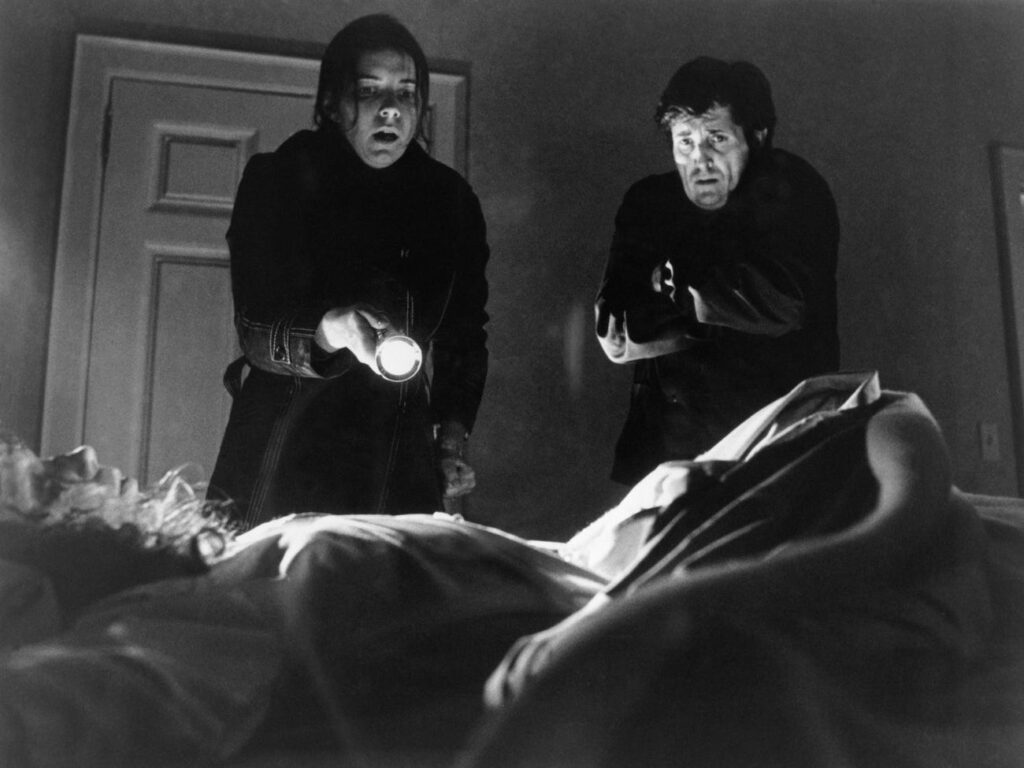
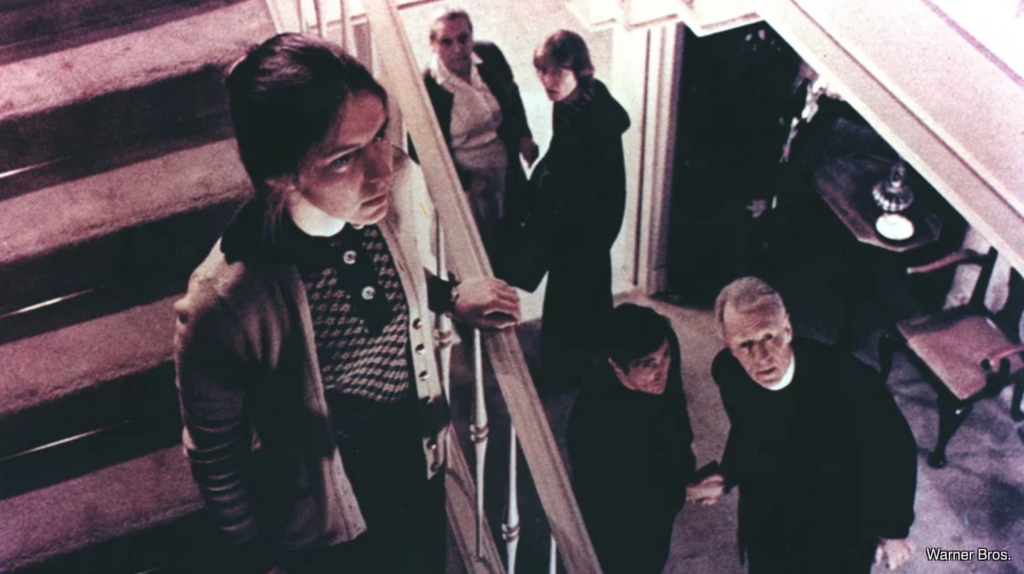
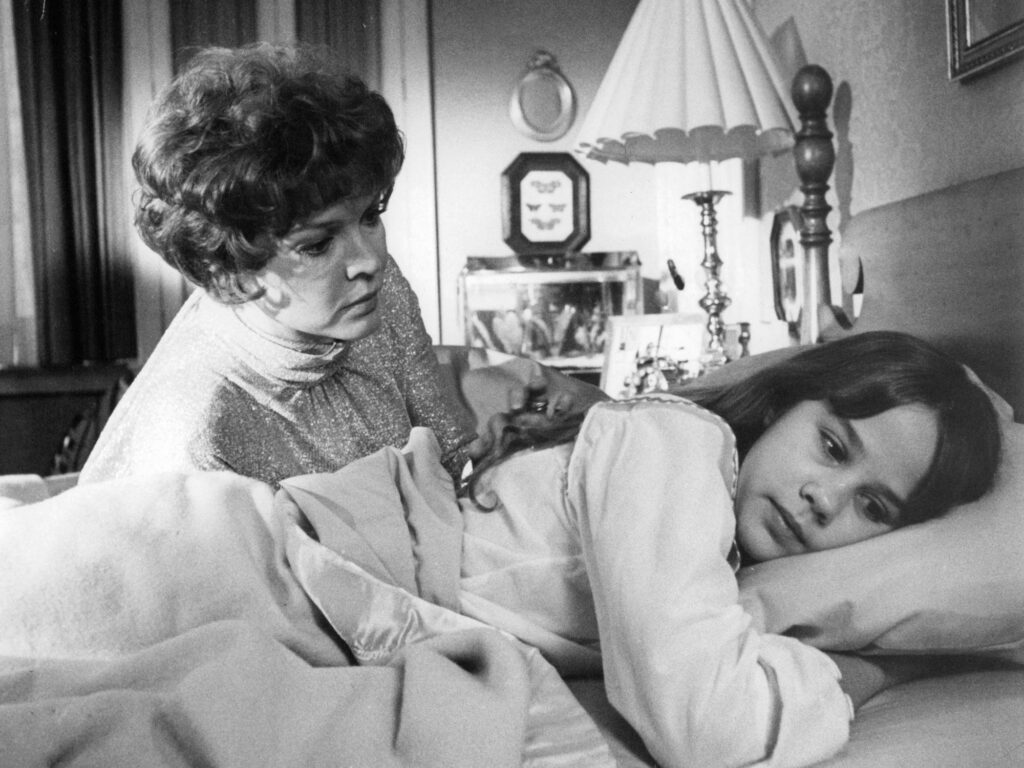
Kitty Winn, Jason Miller and Linda Blair in the Exorcist taken from The Insider
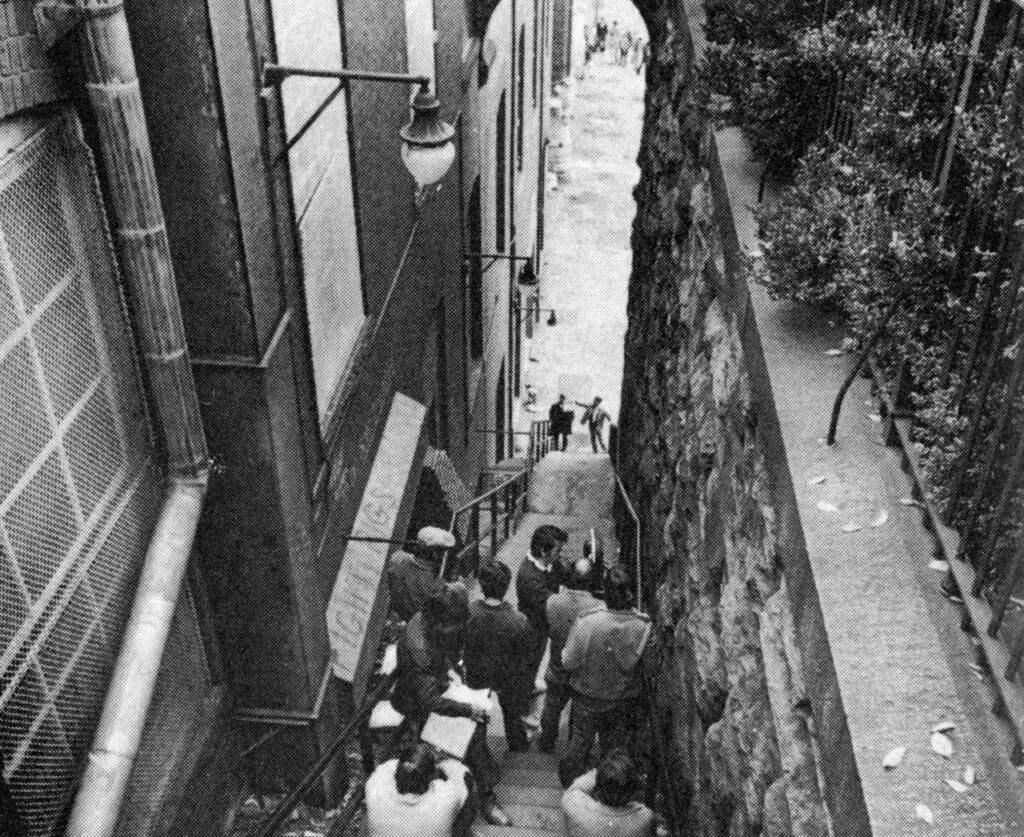
One night, Chris comes home to Regan sleeping alone in the house. It comes out that the director, Burke Dennings, had been called to babysit while the nanny had run an important errand. Dennings is found at the bottom of a large staircase outside MacNeil’s house with his head turned backwards. This introduces the homicide detective William Kinderman, played by Lee J. Cobb, instantly connects this highly suspicious and supernatural death to the church’s desecration. He questions Chris and Father Karras. The situation escalates when Chris finds Regan violently masturbating with a crucifix. The possessed Regan then turns her head backwards and speaks in Denning’s voice, while moving objects mentally. This sends Chris into a full mental breakdown and causes the household to confine Regan to her bedroom.
As the demon continues its possession, Regan’s health begins to deteriorate. Chris meets Father Karras and requests an exorcism for her daughter. At first, he is skeptical, but after multiple visits to the house, he begins to believe. During his visits, the possessed Regan speaks in tongues, claims to be the Devil, projectile vomits into Karras’ face, and reacts to tap water that Karras claimed was holy water. Chris confides that she believes Regan pushed Dennings out of the window and one night, Karras sees the words, “Help me”, appear on her stomach.
Ultimately, he makes the request for an exorcism and finds out it will only happen with an experienced priest. Thus, enters Father Merrin, who has performed exorcisms before and has been battling with Pazuzu. Both priests arrive at the residence and prepare for the exorcism ritual. Merrin warns Karras that the demon will speak lies and perform a psychological attack. Sensing his weakness, the demon focuses on Karras, specifically targetting his dead mother. The demon screams vile and horrific things during the entire exorcism.
At a point, the priests take a rest and Merrin takes heart medicine. Karras enters the bedroom early and is taken aback when he hears his dead mother’s voice from Regan. Merrin dismisses him, citing weakness, and continues the exorcism. Karras speaks with Chris, giving him a feeling of courage and determination. He finds Merrin dead and begins to punch possessed Regan. He begins to scream for the demon to take him instead. The possessed Regan tears off his Saint Joseph medallion and then the demon enters Karras’ body, leaving Regan free. Karras then jumps out of the window, dying in the exact same spot as Dennings. His friend, Father Dyer, performs his last rites as he dies. In the final scene, the MacNeil family packs up and leaves this Georgetown home. Regan looks healthy and is thankful to Father Dyer. As they leave, Chris returns Karras’ Saint Joseph medallion to Father Dyer.
Horror Film Rating System
Category
Rating (/10)
Performance
10
Special Effects
8
Violence
9
Score/Foley
7
Scare Factor
10
Performance
The performances in this movie are remarkable and committed. Ellen Burstyn was nominated for Best Actress for both the Academy Awards and Golden Globe Awards. Linda Blair won the Best Supporting Actress Golden Globe Award and was nominated for Best Supporting Actress for the Academy Awards. The breakdown of a mother whose daughter is unwell and violent was captured perfectly by Burstyn. As one of the main characters, she holds a good portion of this movie on her shoulders.
Linda Blair was 14 years old when she starred in the Exorcist and gave a prolific performance. Both Blair and Burstyn participated in a good portion of the practical and special effects, leading to multiple back injuries. In one scene, Burstyn landed on her coccyx, screaming in pain. That sound was used in this film and honestly makes me queasy to think about. (I have a minor coccyx injury so I relate!) The more gruesome scenes used a stunt double for Blair and voice actress Mercedes McCambridge performed the possessed Regan dialogue.
Jason Miller’s performance as Father Karras was also very well done. His stoney expressions and reactions to Regan’s demon are compelling, enhancing the events of the movie. Part of the realism of this film was attained through the direction of Friedkin who utilized harsh tactics. He slapped one actor in the face before a scene. During the scene where Regan vomits in Karras’ face, the actor was told that the vomit would hit his chest, so the reaction in that scene is genuine.
Special Effects
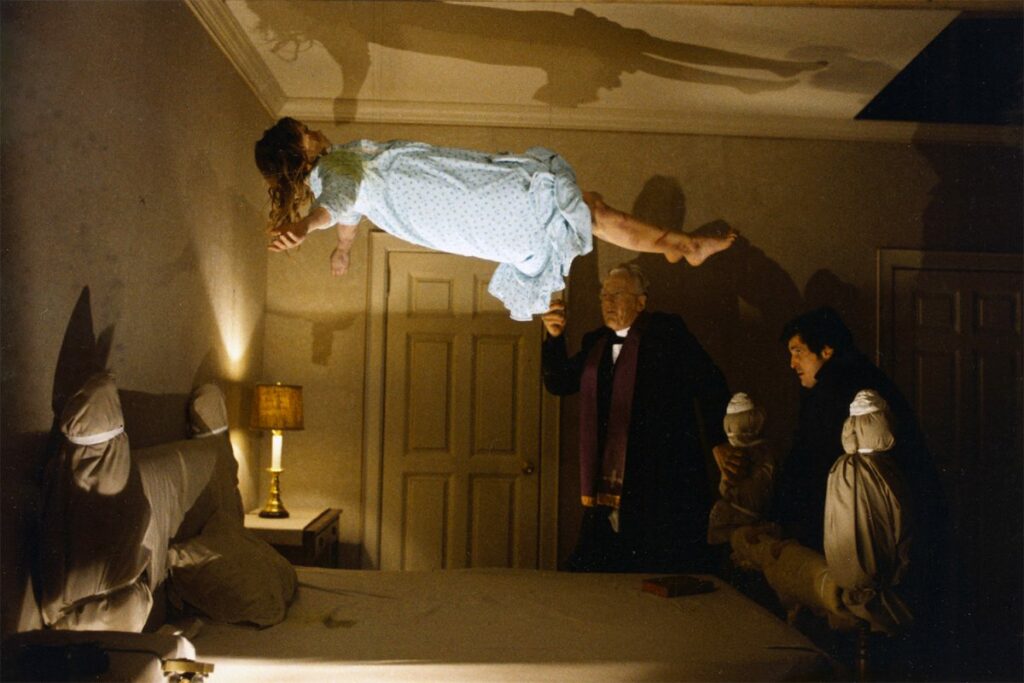
Released in 1973, this film was prolific in its contribution to the horror genre. To create the special effects, they utilized mechanical effects, life-sized puppets, editing tricks, lighting and other techniques. The makeup was done by William A. Farley and the special effects were done by Marcel Vercoutere. For the physical stunts, the actors and their stunt doubles were put in harnesses and their wires were yanked around to create the effect of the actor flying around the room or in Linda Blair’s case being pulled back and forth on the bed.
Another technique they used was to make a replica of Regan’s bedroom and place it in a refrigerator that went 20 degrees below zero, so as to show the actors’ breath in the room during the exorcism sequence. This was a bold move that lead to certain difficulties. In particular, they were only able to shoot five scenes a day and it meant lighting had to be perfected. One final special effect was the pea soup vomit that Regan projectile vomits repeatedly. This led to the actress being unable to eat pea soup for the rest of her life. The special effects are fantastic and scary, leading to this film becoming the model for future exorcism movies and one of the best horror films of all time.
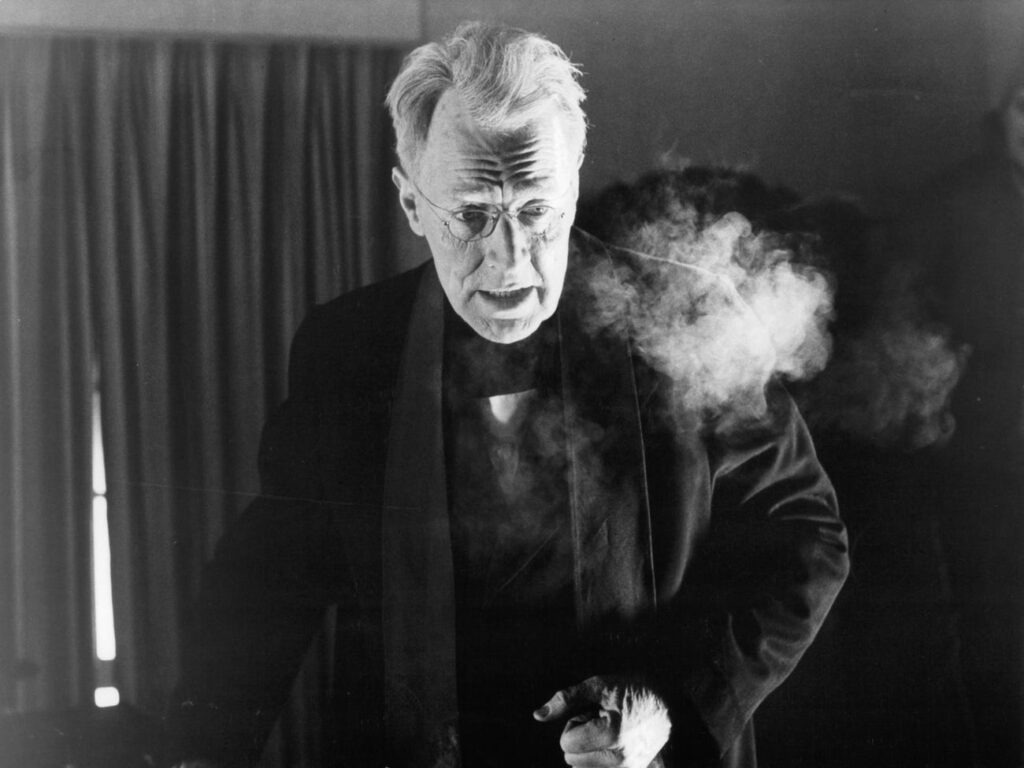
Notice Max von Sydow’s breath in this shot from The Insider
The Exorcist was fraught with behind-the-scenes drama that led to the idea that the movie was cursed.
Violence
This movie goes through moments of violence which are then followed by moments of distance and character and plot building. For the time, this violence in this film was shocking and novel, leading to people running out of the theatre, vomiting, or fainting.
One scene struck me as incredibly violent and disturbing. I am going to go into a bit of detail about this part. This is a trigger warning. Please skip to the next paragraph. This scene involves Regan violently stabbing her genitals with a crucifix. After watching, I keep having this scene flash in my mind. It is so violent and horrifying and presents itself as sexualized self-harm. I completely understand the reactions of audiences when it was first released as nothing like it had really been seen before in American cinema. This scene is deeply affecting and leads to an enormous sense of fear and repulsion.
Another scene that deeply affected audiences at the time was the realistic cerebral angiography, which involved a needle being injected into Regan’s neck and blood shooting out. It was definitely difficult to watch and I had to look away. It really was just a medical scene which nowadays is much less scary since we have shows like Grey’s Anatomy to desensitize us. I can understand why it caused such a reaction in the theatres at the time.
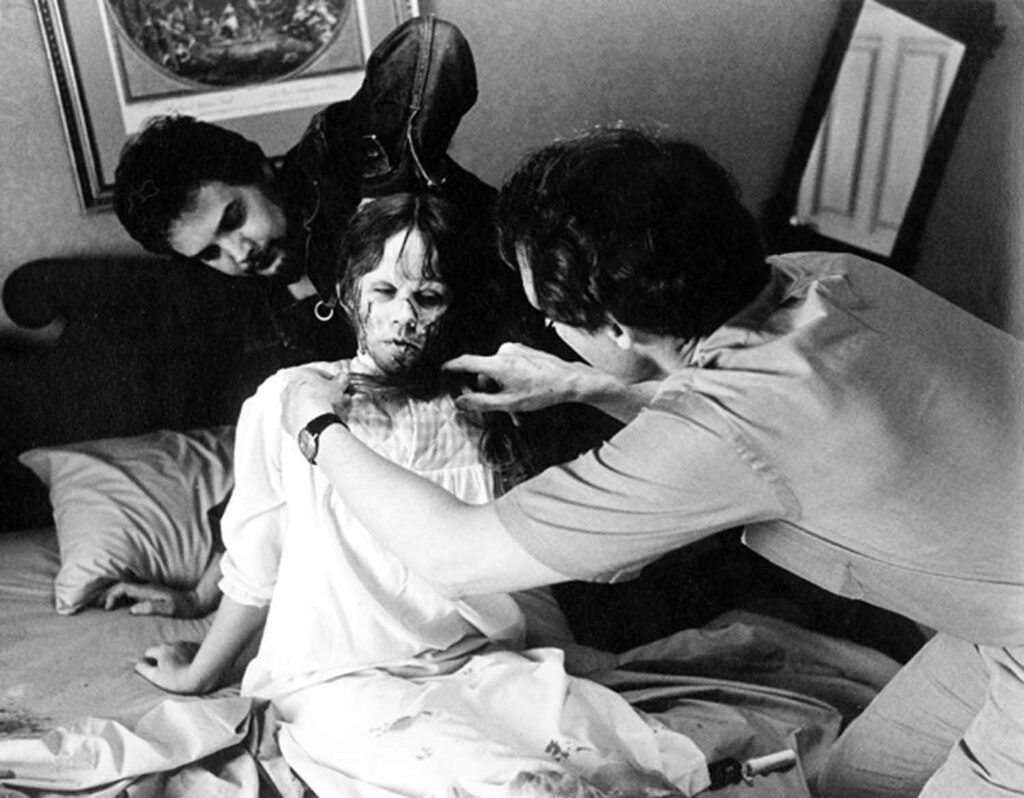
Linda Blair in the Exorcist, Image taken from The Insider
I would argue though most of the serious violence was left out as both Burke Dennings and Father Merrin died off-screen. In more modern horror movies, there would be a graphic death scene. It adds certain power to Karras’ death, which was similar to Dennings, but shown in a POV style and then the final shot from above of his body with people surrounding it. The exorcism sequence involves some violence, but I would argue most of the violence the demon inflicts is psychological through vile expletives. Overall, this film contains very graphic scenes of violence and gore, but it uses it purposefully and infrequently, creating a bigger effect on the audience.
Score/Foley
Firstly, the theme song is frankly iconic and incredible. It does sound like other horror themes, but it came much before. It is spooky and slightly disturbing but in a good way! The foley in this film is quite well done as we hear a lot of strange and gross sounds coming from the demon frequently. As well, the sounds are quite sharp and lead to the contrast between quiet moments and the serious action of the film. I cannot help but compare films within the horror genre. This film utilizes quiet scores and then loud violin screeches. In modern horror films, there is a constant onslaught of sound that is deafening at points. Sound is a very effective medium to create fear in an audience, but it must not be overused. The Exorcist’s use of sound is effective and brilliant, leading to Robert Knudson and Chris Newman winning an Academy Award for Best Sound.
I am officially a believer. Most of the lists of best horror movies had the Exorcist in the number one slot. I was skeptical and maybe a little scared. For a film released in 1973, it is absolutely terrifying. The pacing of the film is slow, but it lends itself to the added distance and isolation experienced by Chris, Regan, and Karras. This film was prolific in its creation of the exorcism genre. A big part of this is the battle between good and evil, God and the Devil. As well, the idea that an innocent child could be possessed right in her own home. It leaves viewers feeling unsafe and always at risk. A demon could possess us at any moment and make us do and say horrible things. There is a lot of graphic imagery, such as the flashes of the demon, Pazuzu, which occur throughout the film. As well, the masturbating scene is deeply affecting and terrifying. The entire exorcism sequence has the audience on the edge of their seats, maybe with their hands in front of their eyes. It is a battle with a supernatural force that has great power. Will the demon really be defeated? Ultimately, it ends happily with Regan free, Karras having found his faith, and Chris and her family moving away. However, audiences are left thinking: Is it really over? Can the Devil or a demon be defeated through death?
An incredible video essay on the Exorcist
This film will never be forgotten as it truly changed the consciousness of society and the horror genre. It is genuinely disturbing and scary. I believe for horror fans it is a must-watch.