Inquiry Through Technology
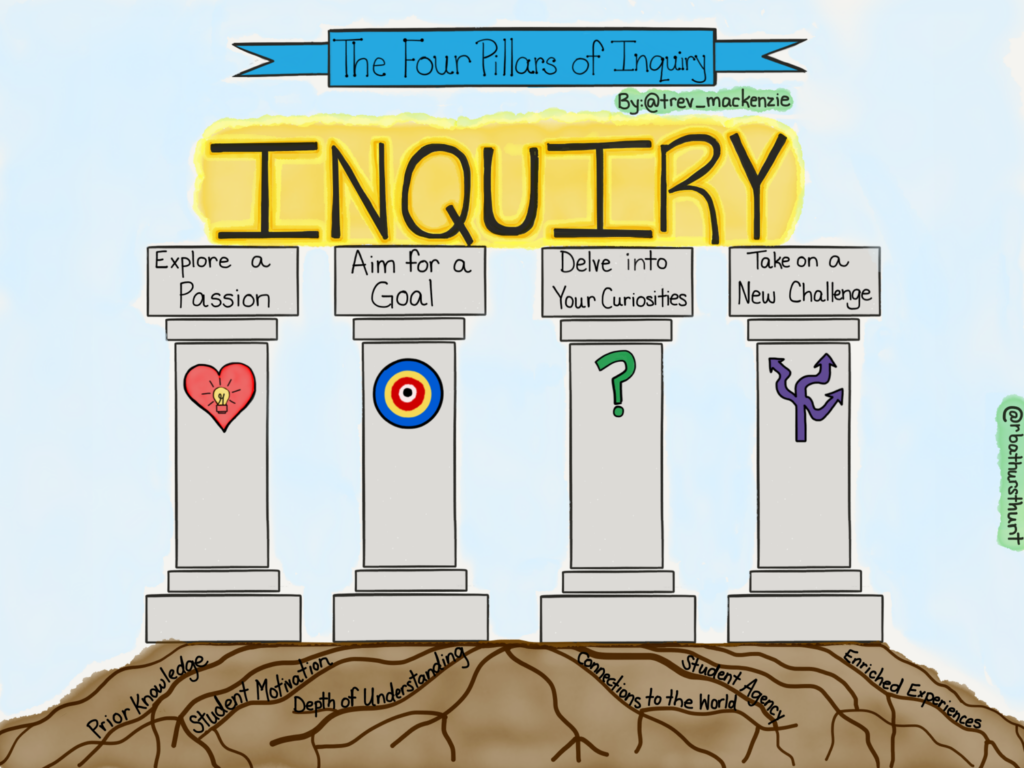
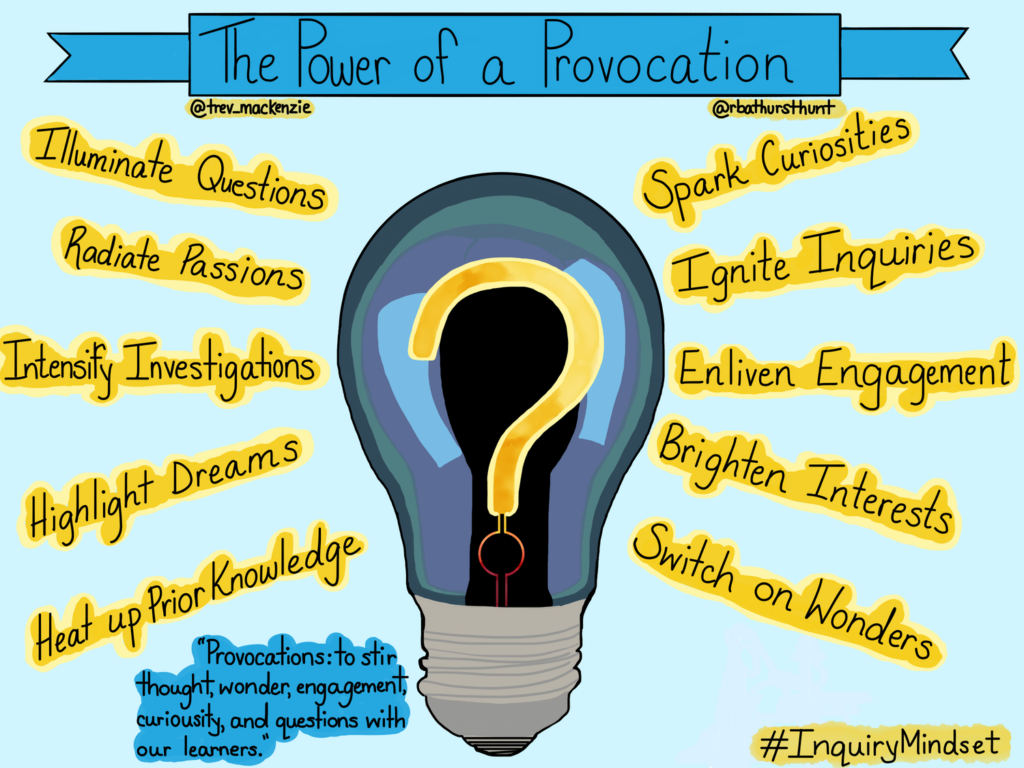
Inquiry-based learning is a student-centred approach that positions the educator as the facilitator and the student as a self-driven participant in their learning process. Bringing technology into this process opens up the world for students. When adults are curious to learn something, they immediately go to the Internet and use different technological tools to gain information and convey that information. Students should learn to take part in this process as well.
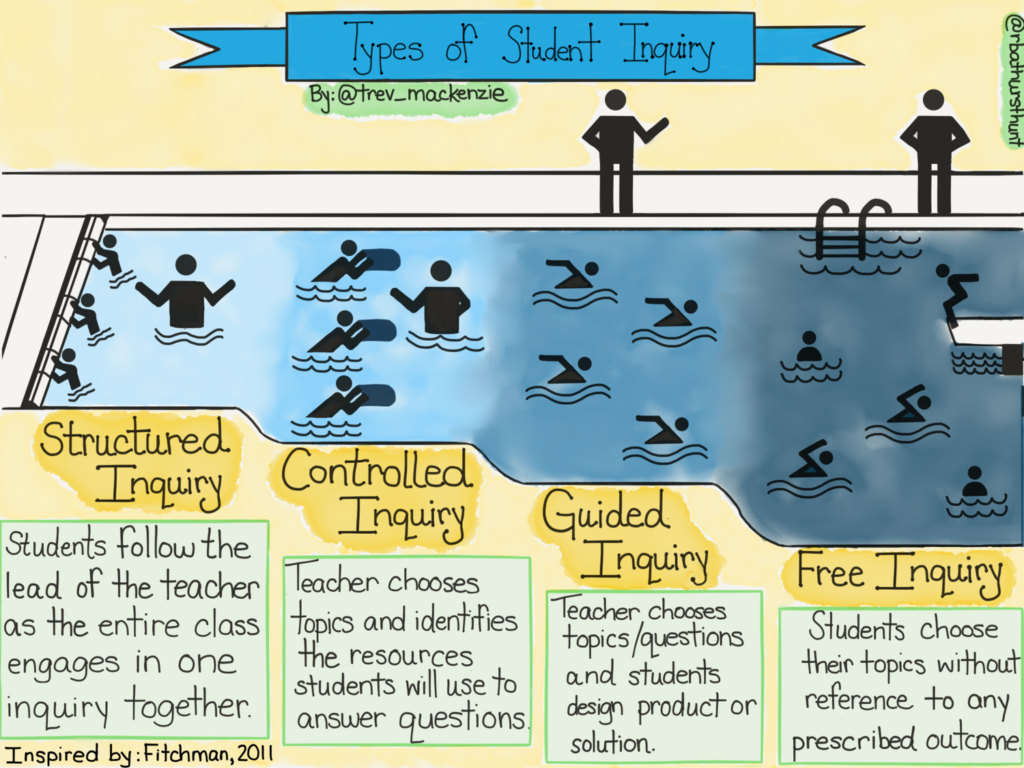
There are four different types of inquiry: structured, controlled, guided and free. The types gradually release responsibility and provide students with more opportunities for open engagement. Each has its place and will depend on the content, curriculum, and educator.
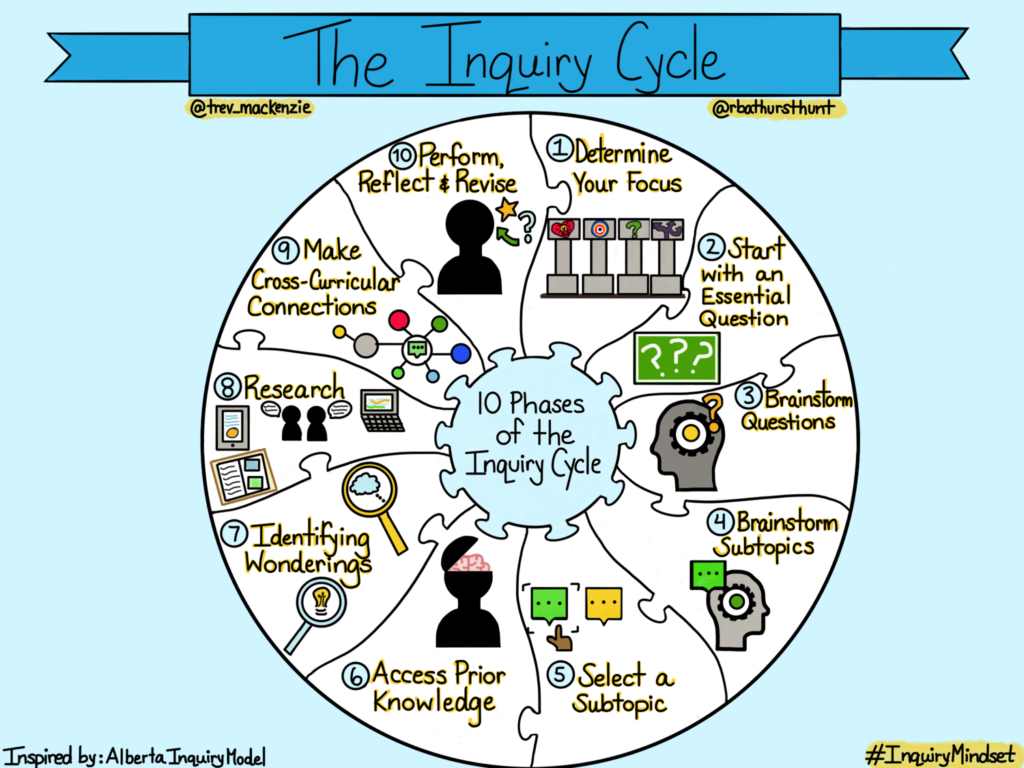
For students, the process of inquiry is incredibly valuable for future academic and career contexts. I feel that some of this process can be transferred into the Scientific experimental process. Students are given an active role in their learning and must come to terms with this process. This creates a whole lot of growth.
Joanna Lake’s Presentation
From Joanna Lake’s powerful presentation, I was able to gain some important insights into teaching. Some include:
-Be your authentic self.
-Share your interests with your students.
-Do one thing that works really well for you
-Go really slowly.
-Don’t stay at school really late.
-“First, then” for task sequences
In particular, I found what she said about visuals very valuable. “You can never have too many images, infographics, displays or visuals.” These are powerful ways to present information to students while keeping them engaged. Using visuals as a prompt can be a great way to start a lesson or discussion. As well, she suggested using memes and to check in with emojis or memes. Finally, she praised the visual schedules because they help students, especially those with disabilities, see and refer to the routine of the day. All of these visuals are powerful for students and technology can really help this process.
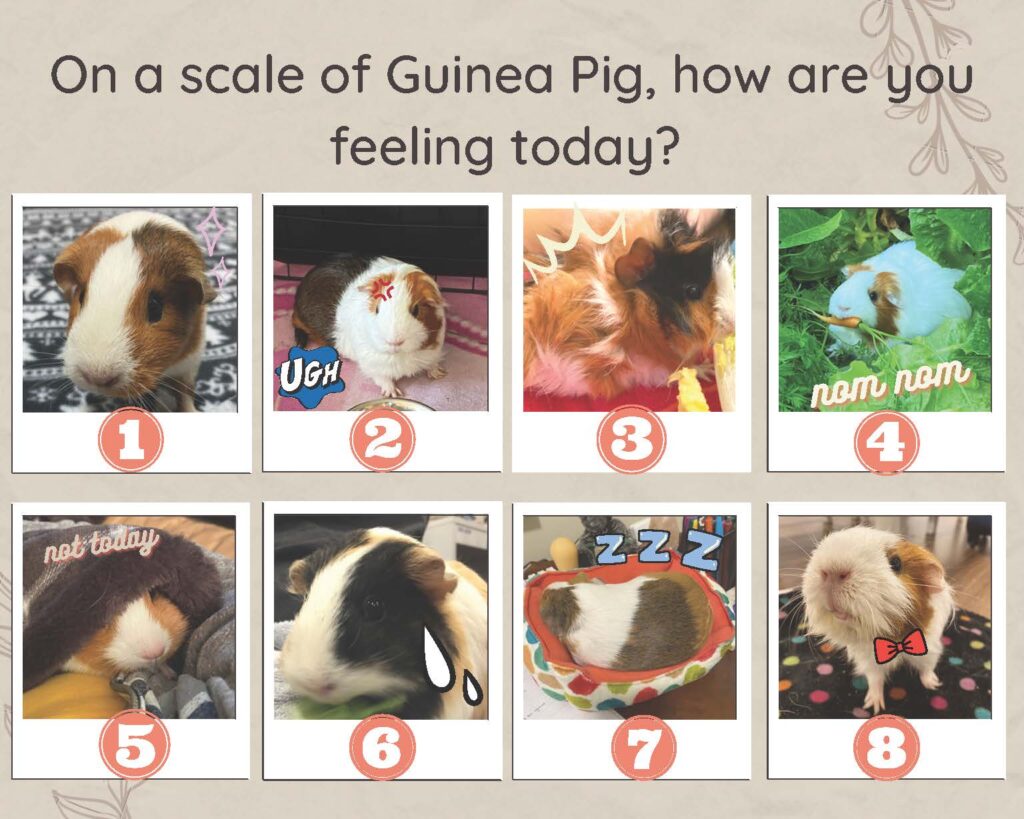
Joanna also gave us some fantastic tips for assessment.
-Assessment as learning: self-assessment, feedback and reflection. This tells you if students are understanding and have a deep level of comprehension.
-Teachers should give models of two of the proficiency scales: emerging and proficient.
-Educators and students should make their thinking visible on a whiteboard or chart paper while using technology.
-Educators should co-create rubrics.
-For self-assessment, get students to ask themselves: “What did I notice?” and “Where’s my stretch and where’s my strength?”
FreshGrade
FreshGrade is a digital portfolio platform that allows teachers, students and parents/guardians to connect and communicate with a focus on student learning. During my first practicum, I was in a kindergarten classroom with a teacher who used FreshGrade. For Kindergarten, the parents/guardians are very involved in their child’s learning, which leads to a lot of time spent communicating. By introducing FreshGrade, this educator made her workload a lot less hectic in terms of time spent interacting with guardians. When a student leads the morning routine, she would film the student and upload it to their profile. This allowed parents/guardians to see their children growing, learning, and showing their learning.
In terms of negatives, there are always concerns regarding the safety and privacy of student data. From a CommonSense Privacy Report, there are certain concerns that are unclear or lacking, such as “Personally identifiable information (PII) is collected” and “Unclear whether this product collects sensitive data.” For parents, guardians, and teachers, I would recommend reading the entire report and doing further research if you are concerned. Another concern for teachers is consent. Teachers have to get guardian consent to use this technology, which can be very challenging. On the flip side, the educator could spend all of the time and energy documenting and then uploading to FreshGrade only for the guardian to never look at their child’s profile. Overall, there are definitely positives and negatives to FreshGrade, but in terms of showing student learning to guardians, it is a fantastic tool.
Android Science Journal
Android Science Journal is a “pocket-sized lab that encourages students to explore how the world works, record data, document observations, and experiment like a real scientist.” Students can use their Android phones and the application to participate in different scientific experiments. This use of technology allows educators to engage students in their learning. There are modules for light, motion, sound, and electricity. As always, we must think of their security and privacy and guardians would have to consent to the use of this tool. As well, educators must consider if students even have access to an Android. However, it opens up a lot of possibilities for engagement in Science for students from K-12.
Leave a Reply
You must be logged in to post a comment.